
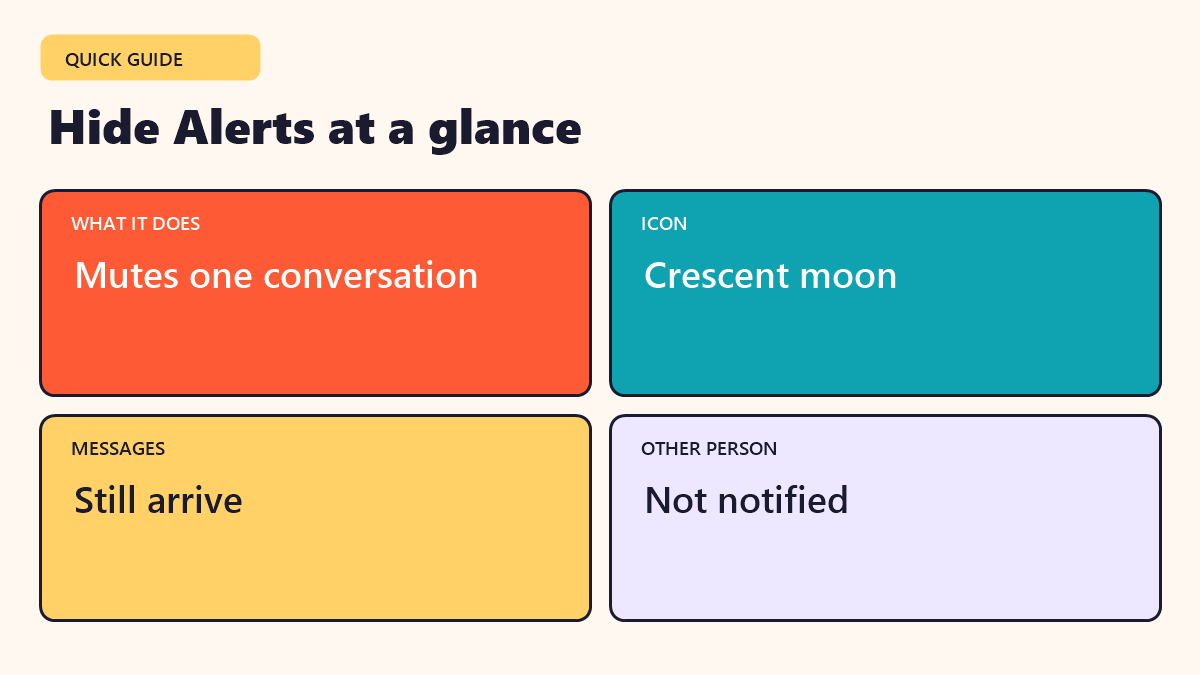
Quick answer: Hide Alerts on an iPhone silences notifications from one conversation in Messages. You still get the messages and the other person is not told. A small crescent moon icon appears beside the chat.
Featured image: Photo by Brett Jordan on Unsplash
You open Messages and notice a little crescent moon beside one of your chats. You never set it on purpose, or maybe you did and forgot. What does it mean? This guide explains what Hide Alerts does on an iPhone, how it differs from blocking and how to turn it on or off in a few taps.
In this guide
What does Hide Alerts mean?
Hide Alerts is a setting in the iPhone Messages app. When you turn it on for a conversation, your phone stops sending you sounds, banners and lock-screen notices for new messages in that chat. The messages still arrive, and you can read them whenever you open the app.
A small crescent moon icon appears next to the conversation to remind you that alerts are off.
What Hide Alerts does not do
- It does not block the other person.
- It does not delete or hide the messages.
- It does not tell the other person you turned it on.
- It does not affect other conversations.
- It does not turn off read receipts, which are a separate setting.
This is why many people use it as a quiet, polite way to get a break from a busy chat.
How to turn Hide Alerts on
- Open the Messages app.
- Swipe left on the conversation you want to silence.
- Tap the bell with a line through it.
- A crescent moon will appear beside the chat.
You can also open the conversation, tap the person’s name or the group name at the top and switch on Hide Alerts. Menu names may change slightly between versions of iOS, but the idea stays the same.
How to turn Hide Alerts off
- In Messages, find the chat with the crescent moon.
- Swipe left on it and tap the bell icon.
- Or open the chat, tap the name at the top, and turn off Hide Alerts.
Once it is off, the moon icon disappears and you start getting notifications again.
Why people use Hide Alerts
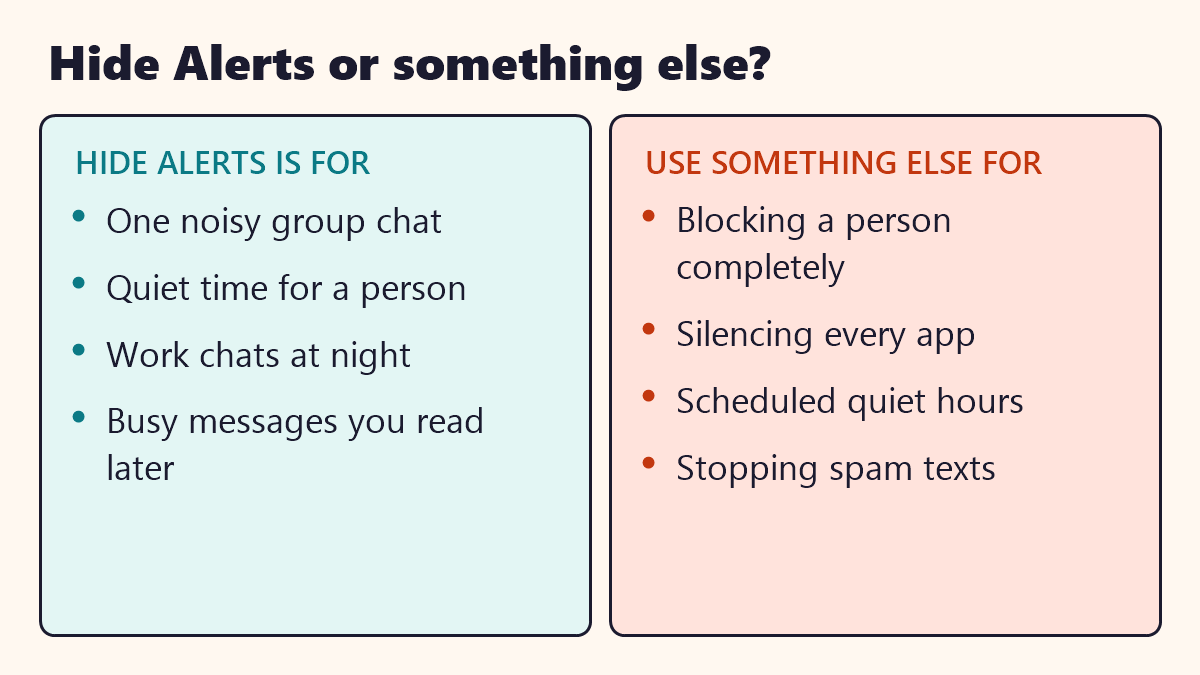
- Noisy group chats. A chat with dozens of messages can bury your phone in alerts.
- Work chats at night. You can protect your rest without leaving the group.
- Needing space. It gives you quiet without a difficult talk.
- Low-priority messages. Read them later when you have time.
Hide Alerts, Do Not Disturb and Block
| Feature | What it does | Who is affected |
|---|---|---|
| Hide Alerts | Silences one conversation | Only that chat |
| Focus or Do Not Disturb | Silences calls and notices by schedule or rule | All chats and apps |
| Block | Stops messages and calls from a number | One person |
| Mute notifications in an app | Silences an app | That whole app |
| Filter unknown senders | Moves unknown texts aside | Unknown numbers |
Hide Alerts sits in the middle: stronger than doing nothing, but gentler than blocking.
When to use Hide Alerts
If a chat is causing stress or harm, turning off alerts is not enough. Talk to someone you trust and use blocking or reporting tools when needed.
Common problems
- “I missed an important message.” With Hide Alerts on, you will not see a banner, so check the chat when you can.
- “The moon is on, but I did not turn it on.” It may have been set by accident, perhaps with a swipe. Turn it off using the steps above.
- “I still get alerts.” Check your Focus settings and the app notification settings too.
- “The other person says I am ignoring them.” They cannot see the setting, but they may notice slower replies. Be honest about your boundaries.
Key takeaways
- Hide Alerts silences one conversation on an iPhone.
- The messages still arrive, and the other person is not told.
- A crescent moon shows that it is on.
- It is different from blocking and from Focus.
- You can turn it off with a swipe and a tap.
Frequently asked questions
What does Hide Alerts mean on iPhone?
It means notifications for that one conversation are turned off. Messages still arrive in the chat.
Does the other person know I hid alerts?
No. iPhone does not tell them. They will not see any change.
Is Hide Alerts the same as blocking?
No. Blocking stops messages from reaching you. Hide Alerts only silences the sounds and banners.
What is the moon icon next to a conversation?
The crescent moon shows that Hide Alerts is on for that conversation.
How do I turn Hide Alerts off?
Swipe left on the conversation and tap the bell icon, or open the chat, tap the name and turn off Hide Alerts.